Sheru Bhai Drawing: Easy Steps + Your Photo as a Sheru Sketch

Upload a photo and get a sketch in seconds, or scroll for 8 easy steps to draw Sheru Bhai yourself.

Quick summary

  • We help you turn your photo into a Sheru Bhai drawing: a free pencil sketch or line-art filter in your browser, or an AI sketch with Sheru for 1 credit.
  • The free sketch uses no AI and no sign-up; the photo stays in your browser.
  • Below are 8 easy steps to draw Sheru Bhai by hand, plus a free printable line drawing to colour.
  • Sheru Bhai is an AI-generated white lion boss from Indian memes: white suit, gold chain, white mane, sunglasses.

Sketches made with Sheru

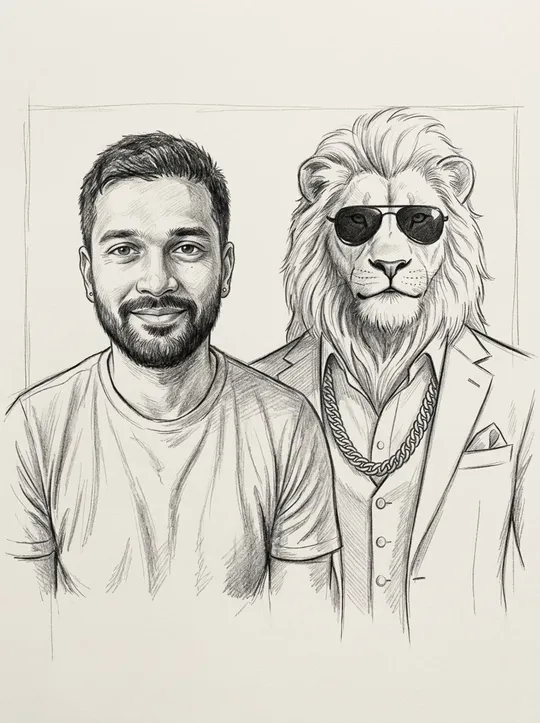
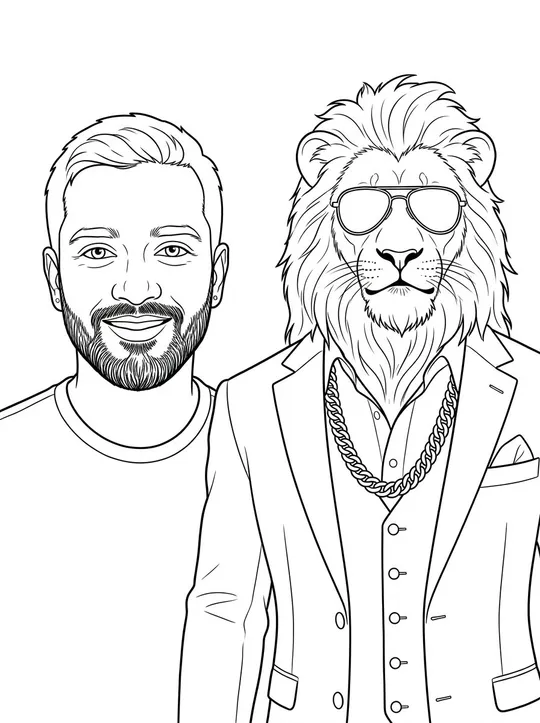
Pencil sketch of a person drawn next to Sheru Bhai the white lionBlack line-art colouring page of a person beside Sheru Bhai

Photo to Sheru sketch

Free sketch

Style

Free sketch filter

In your browser, no AI, just you. Free · no sign-up.

AI sketch with Sheru

You drawn next to Sheru Bhai, in the style you picked. 1 credit.

+ Add one photo.

+ Add one photo.

Free sketch: your photo is not uploaded. AI sketch: one photo in, one drawing out.

How to draw Sheru Bhai: 8 easy steps

You need a pencil, an eraser and paper. Keep every line light until step 7.

New to the character? Read Who is Sheru Bhai.

  1. Draw a big circle for the head and a smaller oval below it for the muzzle.
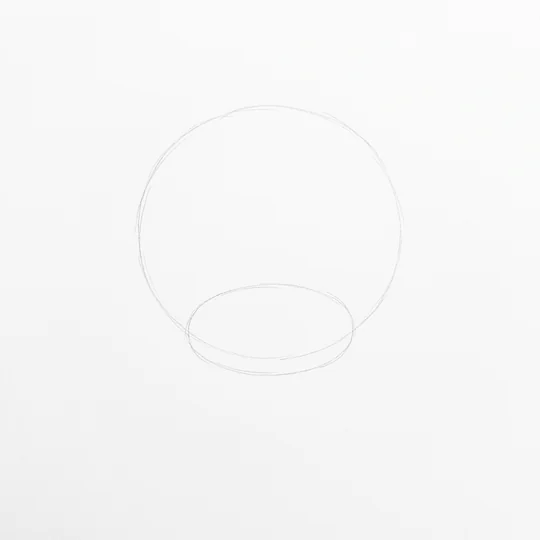
    Step 1 of drawing Sheru Bhai: a big pencil circle for the head and a smaller oval for the muzzle on white paper
  2. Add the mane: draw a wide cloud of soft, pointed tufts around the circle, thicker at the sides.
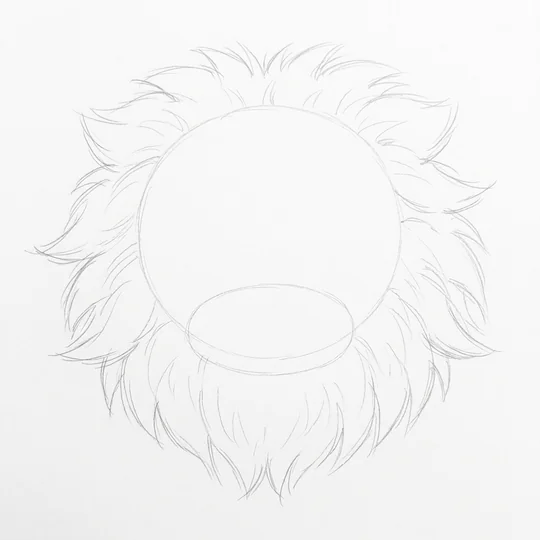
    Step 2: a cloud of soft pointed mane tufts drawn around the circle
  3. Place the face guides: one line down the middle, one across for the eyes, and two small ears at the top of the mane.
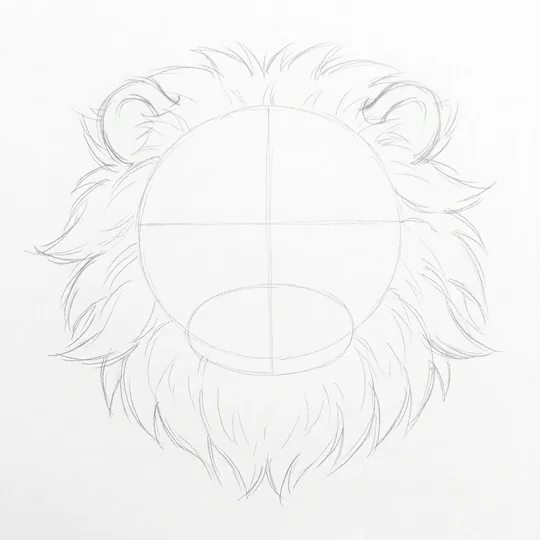
    Step 3: face guide lines, a centre line and an eye line, plus two small ears on top of the mane
  4. Draw the eyes and sunglasses: two slim dark lenses on the eye line, joined by a thin bridge.
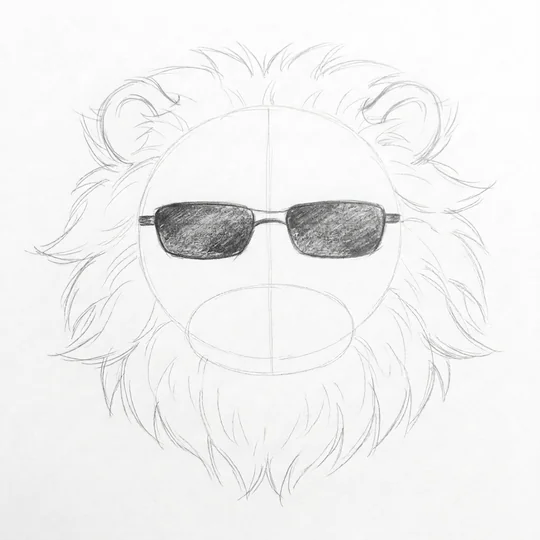
    Step 4: two slim dark sunglasses lenses joined by a thin bridge on the eye line
  5. Shape the nose and mouth: a rounded triangle nose, then a calm closed smile under the muzzle.
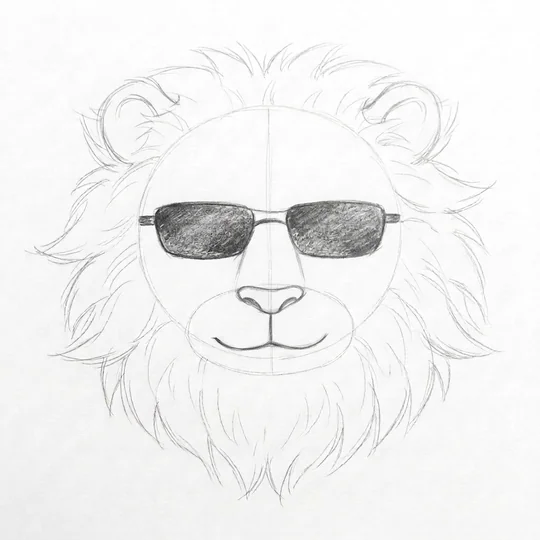
    Step 5: a rounded triangle nose and a calm closed smile under the muzzle
  6. Add the shoulders and white suit: draw sloping shoulders, a V-neck jacket, a shirt collar and one lapel line.
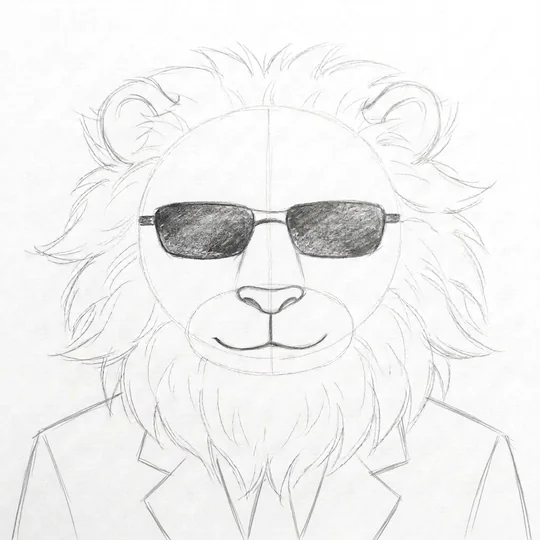
    Step 6: sloping shoulders with a V-neck white suit jacket, collar and lapel lines
  7. Draw the gold chain: a row of chunky linked loops hanging in a curve across the chest.
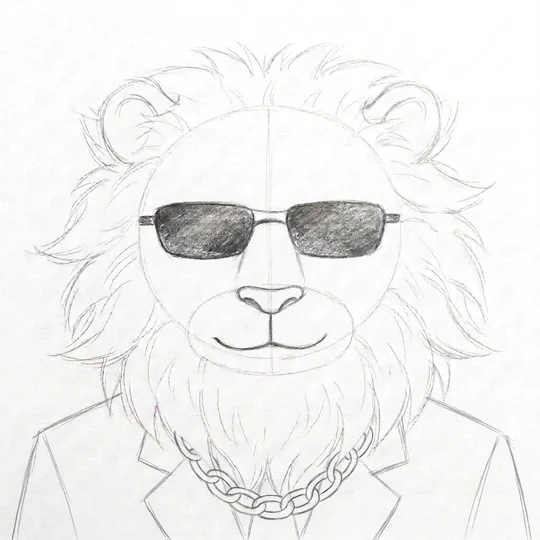
    Step 7: a gold chain of chunky linked loops hanging across the chest
  8. Ink and clean up: darken the final lines, erase the guides and add a few fur lines on the mane.
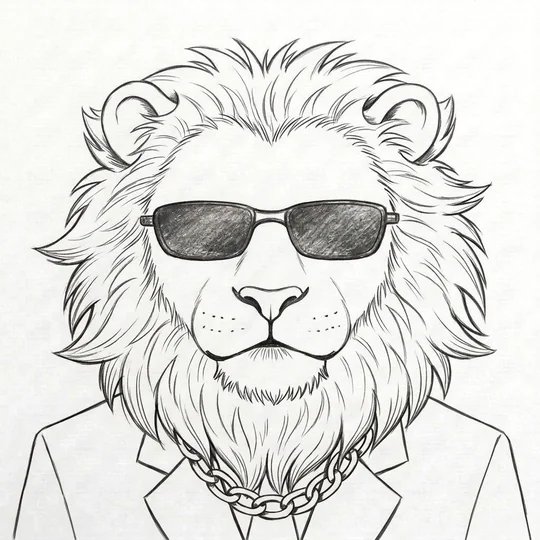
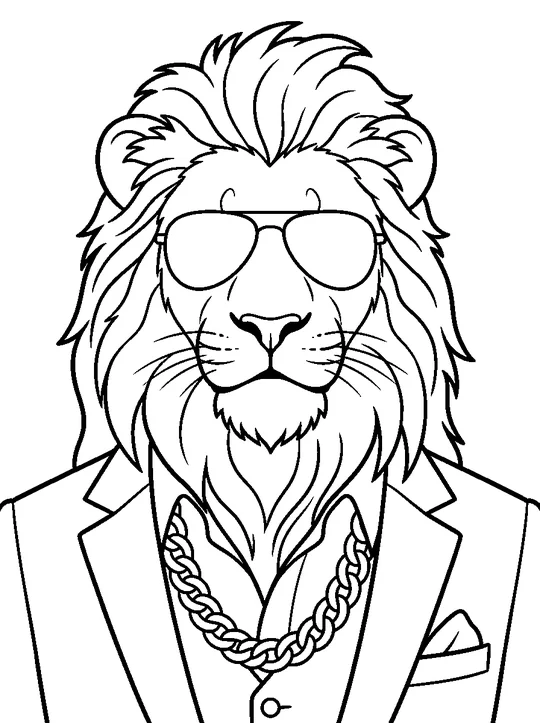
    Step 8: the finished Sheru Bhai drawing, inked and cleaned up, with fur lines on the mane

Common mistakes when drawing the mane and the suit

The steps above say what to draw. These are the usual slips.

Mane

  • Identical tufts. A row of equal zigzags looks like a saw. Vary length and curve, and overlap a few.
  • Too small. The mane frames the head, so draw it wider than you think.
  • Wrong direction. Fur grows outward from the face. Lines the other way flatten the head.
  • Detail too early. Block in the shape first, add fur lines last.

Suit

  • Flat jacket. Add two or three short fold lines near the elbows and under the lapels.
  • Chain as one line. Draw linked loops that hang from the neck and curve with the chest.
  • Pressing too hard. Dark early lines will not erase from the white suit area. Shade only the folds.

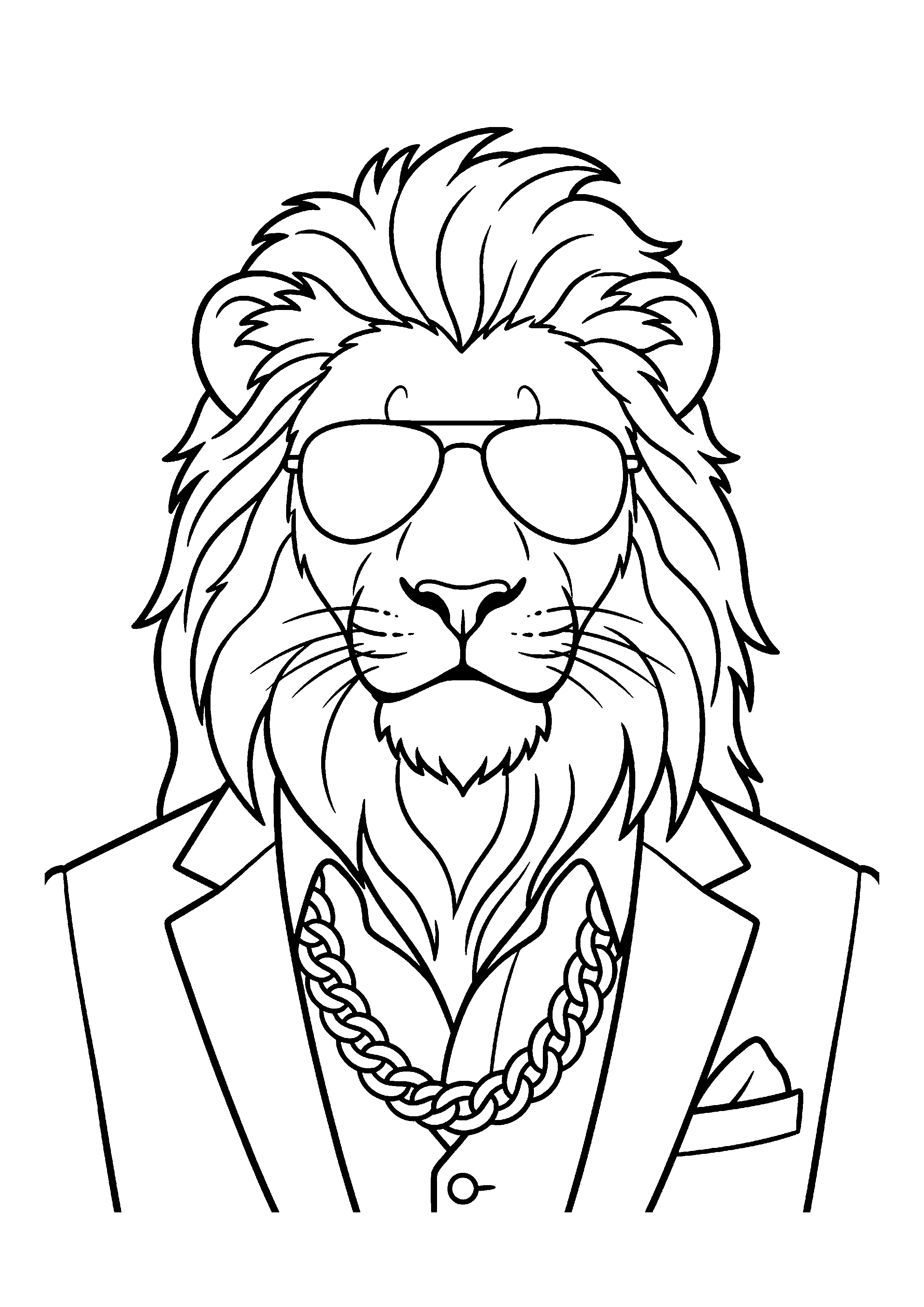
Printable Sheru Bhai line art and colouring page

A clean black-and-white outline with closed lines, ready to print and colour. It is our own AI-drawn line art, free to print for personal use.

Printable Sheru Bhai colouring page: black outline of a white lion with sunglasses, suit and gold chain

Download the colouring page (PNG) Free · no sign-up

Tip: print on A4 plain paper at 100 percent; the outlines are thick enough for crayons and markers.

Trace the Sheru line art on paper: a 5-minute method

You need: A4 printer paper, an HB pencil for outlines, a 2B for darker lines, an eraser and tape. A window or a bright screen works as a light box.

  1. Make Line art, not Pencil. Clean outlines trace best.
  2. Print on A4 at 100 percent.
  3. Tape it to a window, then tape a fresh sheet on top.
  4. Trace lightly with the HB: outline first, then mane, glasses and chain.
  5. Darken key lines with the 2B, and keep inner lines light.
  6. Colour in layers. Lightest tone first, shadow and shine on top.

Colouring ideas for Sheru Bhai

PartColour idea
White suitLeave the paper white; shade folds with a very light grey
Gold chainYellow with an orange edge, a white spot for shine
White maneKeep it white; use pale blue-grey in the shadows
SunglassesBlack or very dark grey, with one small white glint
Eyes (behind glasses)Pale gold if you draw them visible
BackgroundA warm palace gold or deep red velvet makes the white pop

The hex values for his gold, sunglasses and suit are on the page with the Sheru Bhai colour codes.

Pencil, line art or retro poster: which Sheru style to pick

Four looks, four jobs.

Pencil sketch. Graphite shading on cream paper. Pick it to post or give as a gift, not to colour in, because the shading fills the shapes.

Line art. Clean black lines on white, closed shapes, no grey. The one to print and colour with pencils, markers or crayons, and the easiest base for tracing (see above).

Retro Bollywood poster. A hand-painted, 1980s-style film poster with sunburst rays and bold colour. Pick it for a story or profile picture. It is made to be seen on screen.

Vintage black and white. An old silver-print look: warm grey, film grain, white border. Pick it for a quiet "family photo" joke.

Pencil and line art are on this page (free browser filter, or an AI sketch with Sheru for 1 credit). Retro poster and vintage black and white are scenes on the Sheru Bhai AI photo page.

Fix your photo first

A blurry or old photo makes a weak sketch. Our sister site Revivo can clean it up first:

Revivo is a sister site run by the same team, not a third-party service. It has its own prices and rules. Use the fixed photo here after you download it.

Make your sketch move

Once you have a sketch you like, the same photo can become a short silent Sheru Bhai video with your line as a caption: ₹199 / $4.99 per video. See the video maker.

Prefer a picture with your own text? Try Sheru Bhai memes, or find the lines to use on the Sheru Bhai dialogue page.

What each Sheru Bhai option costs

OptionWhat it isPrice
Free sketch filterPencil or line art of your photo, in your browserFree · no sign-up
AI sketch with SheruYou drawn with Sheru Bhai1 credit = 1 image
Colouring page downloadOur own Sheru line artFree · no sign-up
Sheru Bhai videoSilent video, your line as caption₹199 / $4.99 (8 credits = 1 video)

Want the colours right before you sketch? The Sheru Bhai character page has the full cast, and the Sheru Bhai wallpapers page has pictures to trace from.

FAQ

Sheru Bhai drawing FAQ

How to draw Sheru Bhai easily?

Start with a circle for the head and an oval for the muzzle, add a cloud-shaped mane, then sunglasses, nose, smile, a white suit and a gold chain. The 8 steps above take about 10 minutes.

Can I turn my photo into a Sheru Bhai drawing?

Yes. Upload one photo and pick Pencil sketch or Line art. The free filter sketches you in your browser. The AI option draws you with Sheru Bhai for 1 credit.

Is there a Sheru Bhai colouring page?

Yes. Download our free line-art page above, print it on A4 and colour it. The outlines are closed, so they are easy to fill.

Is the free sketch really free?

Yes. The free sketch is a filter that runs in your browser, with no AI, no credit and no sign-up. Only the AI sketch with Sheru uses 1 credit.

Pricing

Sheru Bhai AI video prices

The prompt generator stays free. To have us make the video, buy a pack of credits once, no subscription: 8 credits make one 8–10-second Sheru Bhai AI video of any play (auction boli, boss entry, buys the school, Beta's rescue, Don vs Don, turn me into Sheru, photo with Sheru), with or without your photo. Videos are silent, with the line as a caption on the page (not in the downloaded file).

One-time payment · No subscription · Failed video? Credit returned

1 video

$4.99

1 video

  • One-time payment, no subscription
  • Credits valid for 365 days
  • Failed video? Credits returned automatically

3 videos

$12.99

3 videos · $4.33 each

  • One-time payment, no subscription
  • Credits valid for 365 days
  • Failed video? Credits returned automatically

8 videos

$31.99

8 videos · $4.00 each

  • One-time payment, no subscription
  • Credits valid for 365 days
  • Failed video? Credits returned automatically

20 videos

$69.99

20 videos · $3.50 each

  • One-time payment, no subscription
  • Credits valid for 365 days
  • Failed video? Credits returned automatically

Prices in US dollars. Visitors in India see the same 1 / 3 / 8 / 20 packs in rupees (₹199, ₹539, ₹1,279, ₹2,789) and pay with UPI. Payments are processed securely by Loopframe Studio (our company) through Stripe. Refund policy